

Login to Dashboard
The Login module provides secure access to the JioPay Merchant Portal. Merchants and their authorized users can log in using registered email IDs or mobile numbers. This section covers first-time login, password reset, and best practices for safe access.
Use Cases:
- New merchants setting up their profile
- Team members logging in with assigned roles
- Resetting forgotten or expired passwords
Login URL / Link
Login page: https://jiopay.co.in/v2/pgmerchantportal/login.
What this page contains
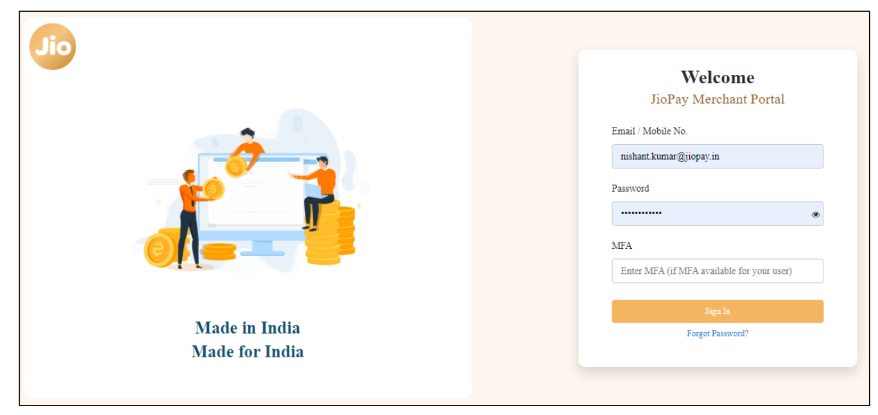
- Purpose: Access merchant portal using registered Email ID or Phone number.
- Audience: Merchant Admins and users created by merchant admin.
Step-by-step (First-time sign-in)
- Open the login URL: https://jiopay.co.in/v2/pgmerchantportal/login.
- Enter the registered Email ID or Phone number.
- Enter the temporary password (if provided) or follow the password setup email.
- Complete any onboarding prompts (update profile / change password) on the first login.
Step-by-step (Reset password)
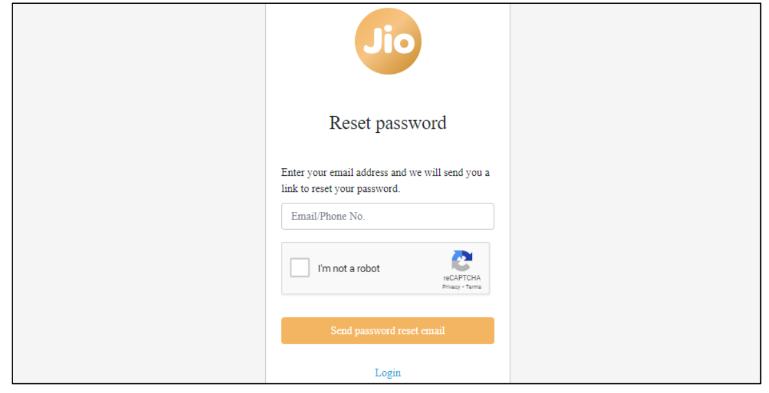
- Click Forgot Password on the login screen.
- Enter registered Email ID / Phone number, tick reCAPTCHA, click Send Password Reset Mail.
- The merchant receives an email with a passcode + reset link.
- Click link → enter passcode → set new password.
- Log in with a new password.
Best Practices:
- Use strong alphanumeric passwords.
- Use User Management to create distinct accounts instead.
- Keep unique logins for each employee (avoid sharing).
- Enable multi-factor authentication (MFA) for admin roles.
Related Links:
Updated 8 months ago
Did this page help you?