

Owners and signatories
Say who owns the business and who signs for it, and invite them.
Before you start
Company, LLP, partnership, trust or society: have the PAN and email of every owner and signatory, and your board resolution.
If your business is a…
Sole proprietor
You are the only owner.
- Under Is this you?, choose Yes, this is me. Choose No, it's someone else only if the proprietor will verify from their own email.
- Select Next: send links.
- Select Save changes and confirm in the box that appears. The business contact is optional and can be skipped.
Company, LLP, partnership, trust or society
This page has four parts, shown across the top.
-
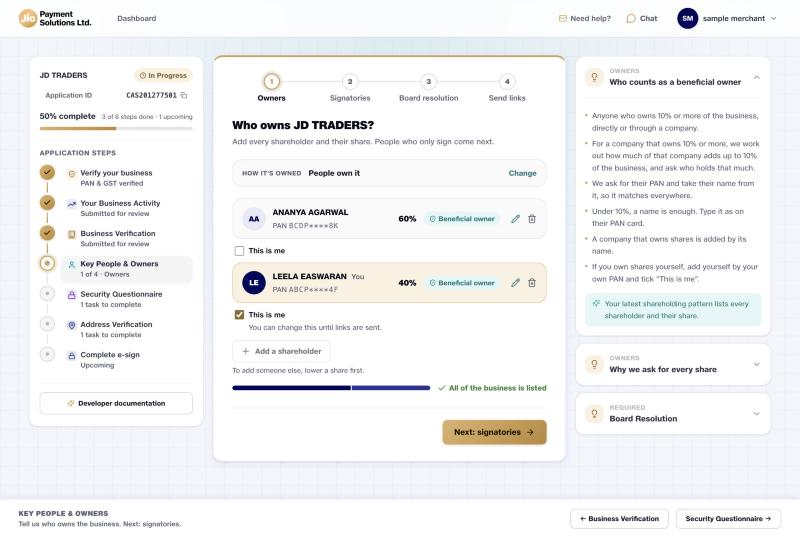
Owners. Choose People own it. Select Add a shareholder and enter their share. Shares must add up to 100%. Anyone with 10% or more needs a PAN. We read their name from it.
-
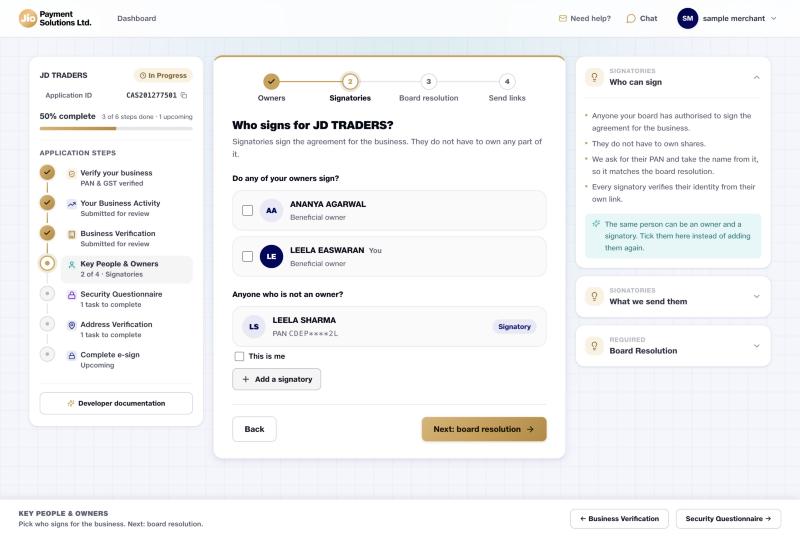
Signatories. Tick owners who will sign, or select Add a signatory for someone who is not an owner. You need at least one.
-
Board resolution. Upload the resolution that names your signatories exactly as on their PAN. A template is linked on the page.
-
Send links. Enter an email for each person except yourself, then select Send links and confirm. Each person gets their own link.
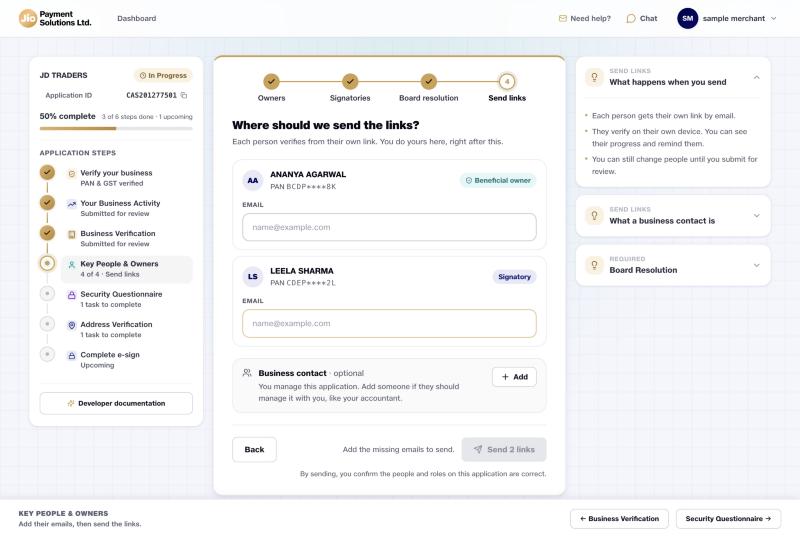
Afterwards the page lists everyone and how far they have got. Use Remind to nudge someone.
Good to know
- If you tick This is me on a shareholder, you do your own checks in the next step.
- Adding owners after you submitted Business documents reopens that section. See the note there.
Updated 15 days ago