

View Business & Support Details
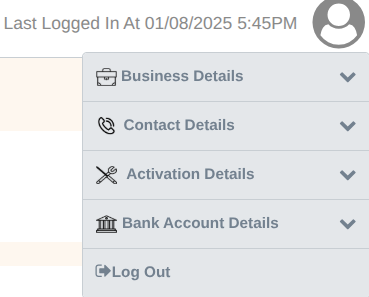
This section contains merchant profile information (business, contact, and banking). Merchants can view and update editable fields such as contact email, support number, and address.
What merchant can view / edit
- Business Details: Merchant name, Merchant ID, Doing Business As, GST Number.
- Contact Details (editable): Business address, Mobile, Business Contact Email, Support Contact Email.
- Activation Details: Status, Onboarding date.
- Bank Account Details: Account number, IFSC, Beneficiary name.
- Logout.
Step-by-step (Update contact / bank details)
- Click the Profile icon (top-right).
- On Contact Details section, click Edit.
- Update fields (Address, Mobile, Email).
- Click Save. Verify confirmation message/email if enabled.
Updated 8 months ago
Did this page help you?