

Sign the agreement
Read and sign your Merchant Application Form.
It opens only after our team approves everything before it. Until then it says Waiting for approvals.
Steps
-
Select Preview MAF to read your prefilled Merchant Application Form. You can also select Download PDF.
-
Select Sign Now and complete the signature.
-
If the page does not update afterwards, select Sync status.
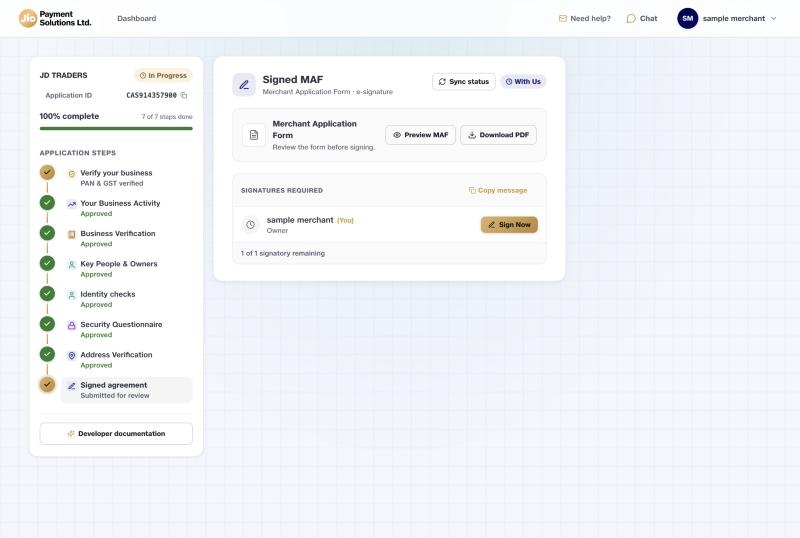
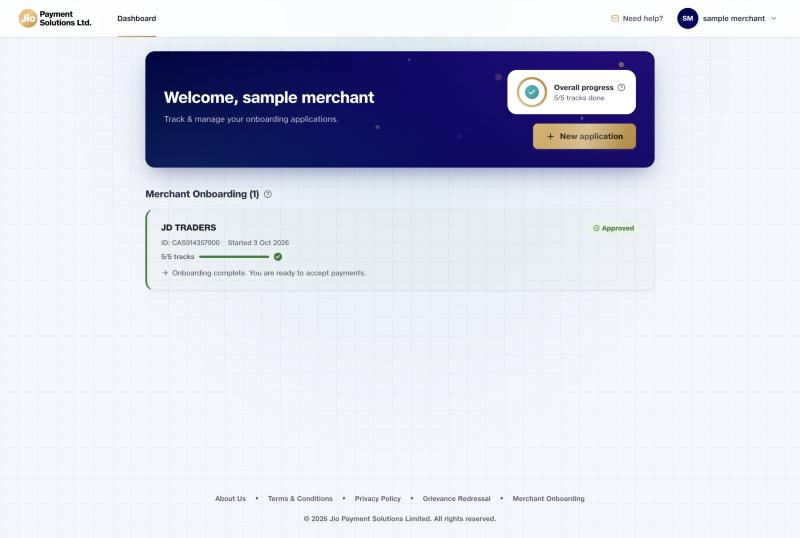
When signing is done, every step shows Approved. Your dashboard says you are ready to accept payments.
If your business is a…
Sole proprietor
You sign as the proprietor.
Company, LLP, partnership, trust or society
The authorised signatory signs, from their own sign-in. The applicant can follow the progress on their own page.
If something goes wrong
If the step still says Waiting for approvals, our team has not approved every section yet. It opens by itself.
Updated 15 days ago
Did this page help you?