

Subscription Hub — No-Code Dashboard Flow
Who this is for?
The Subscription Hub Dashboard is built for merchants who want to start collecting recurring payments without writing any code or involving an technical team. All you need to do is fill out a form and share a link, you can set up and manage recurring collections entirely from the Dashboard.
Setting up your account
- Onboard on JPSL as a merchant.
- Complete your business and settlement bank account details. Provide details on the payment mode need - UPI autopay , Cards or both.
- After successful login, the merchant will receive a mail with login credentials.Log in to the Subscription Hub merchant Dashboard with the credentials received.
Creating a subscription request
Create each subscription request directly from the Dashboard:
-
Navigate to Subscriptions → Create Mandate Link.
-
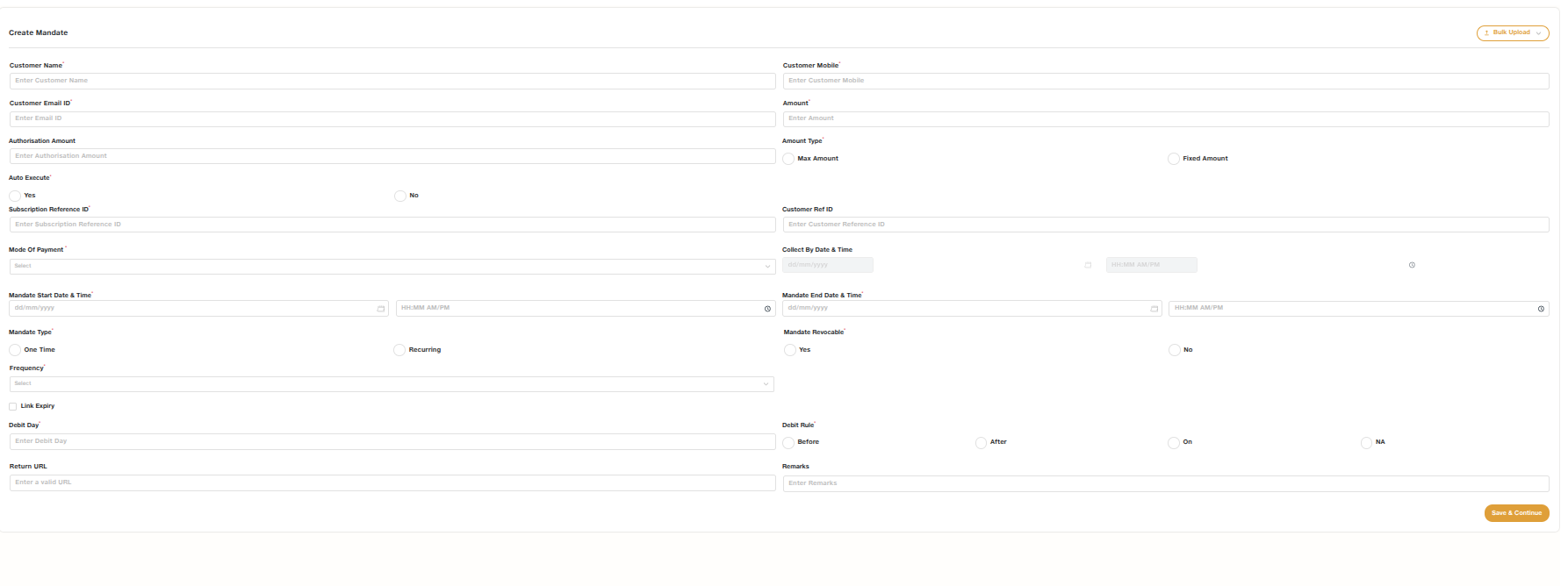
Enter the collection details:
- Customer name and contact details (phone/email)
- Amount to be collected each cycle (fixed amount, or a maximum ceiling if the amount can vary)
- Frequency (e.g. monthly, quarterly, annually, as presented)
- Start date and end date (or "until cancelled")
- In case of Upi autopay, set the collection date of the mandate.
- Payment methods to offer the customer (Card, UPI AutoPay, or both — the customer can either choose at the time of registration)
- Registration link expiry date selection.
- Default is set to 7 days
- TPV details
- Bank Account no
- Bank IFSC
- Auto execute - Yes or No
- Subscription Reference ID
- Customer Reference
- Mandate Type - One time , Recurring
- Mandate Revocable - Yes or No ( Mandatorily Yes for upi autopay)
- Debit day
- Debit Rule - Before , After , On, NA( NA when frequency is As Presented)
- Return URL
- Remarks
-
Submit the request. The Dashboard generates a secure payment link which can be notified to the customer mobile and email to complete registration.
For merchants with many customers to onboard at once, the Dashboard also supports bulk upload: a spreadsheet template where you list the above mentioned details per row, and the Dashboard generates a subscription link for each row in one go.
Sharing the link with your customer
- Share the generated link via SMS, email which is triggered to the customer.
- When the customer opens the link, they see the mandate checkout page and mandate details (merchant name, amount, frequency, validity) and choose their preferred payment method to complete registration.
No integration is required on your side for this step the entire registration experience is hosted by Subscription Hub.
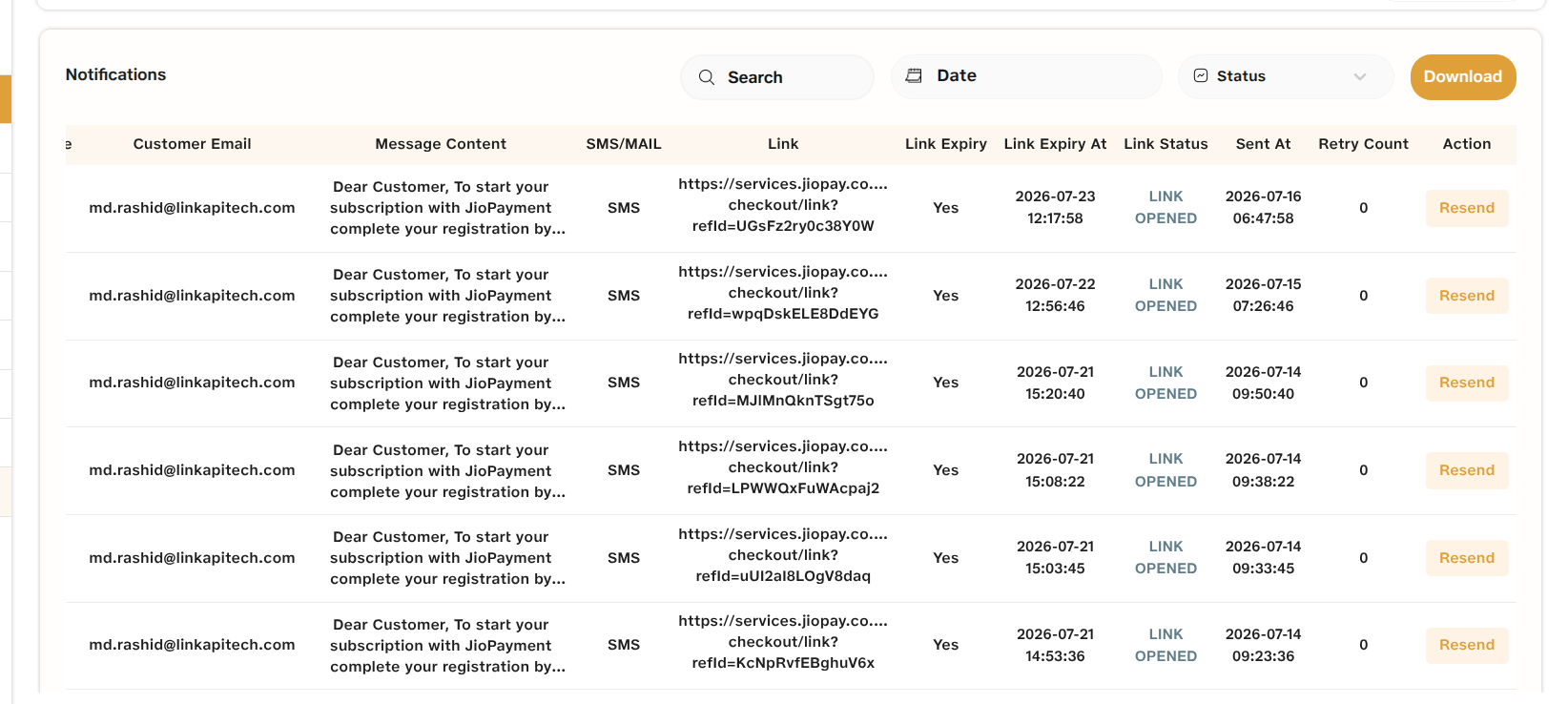
- There's a Notification tab from where the link can be resend. The link status whether it has been opened or not is also visible.
Tracking and managing subscriptions
Once customers start registering, the Dashboard gives you a live view of everything without needing any reporting integration:
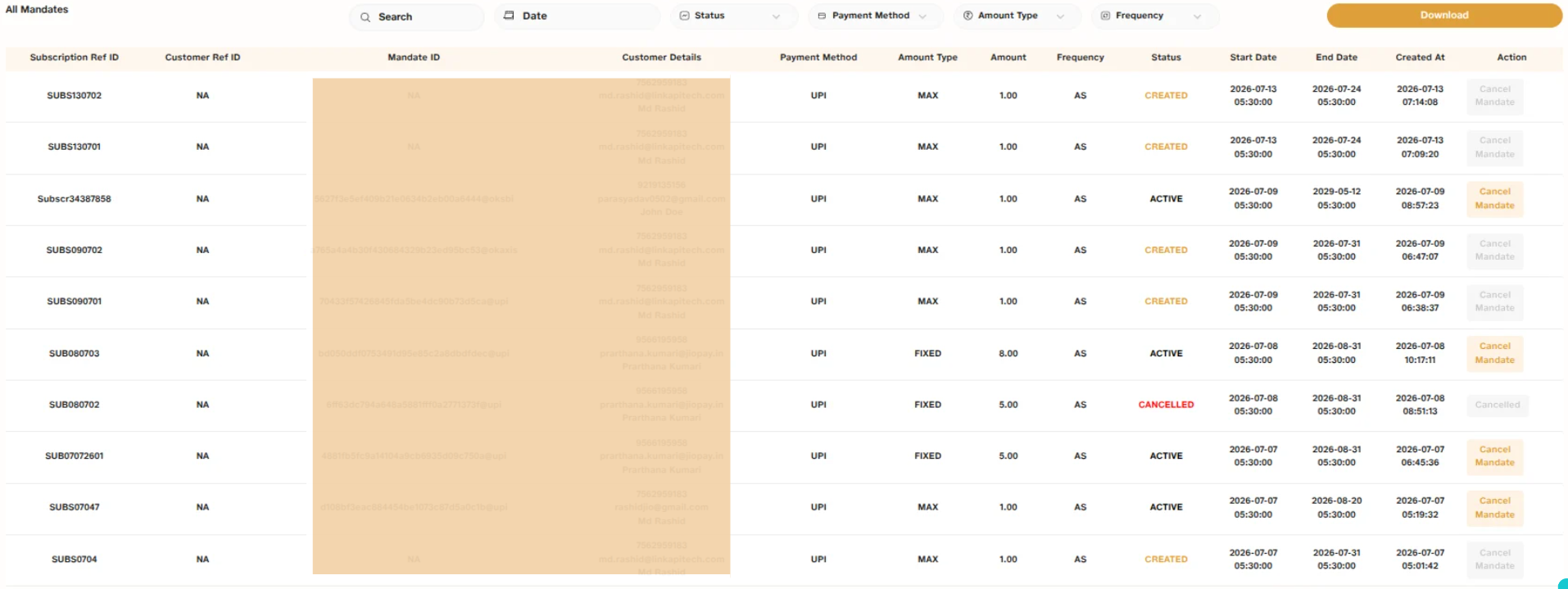
- Subscription list : Every subscription request that has been created, with its current mandate status (Initiated, Active, Cancelled). The report is available for different filters and can be downloaded
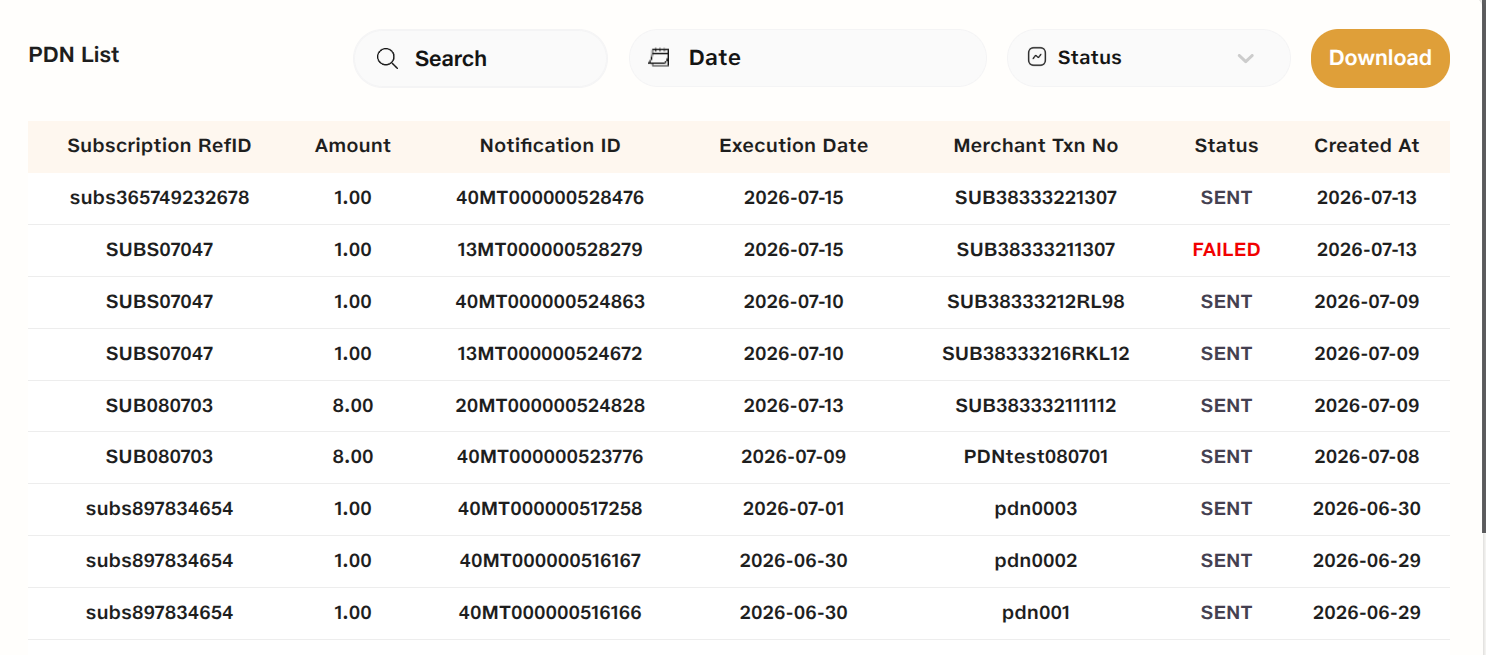
- Execution history : A log of every scheduled debit attempt against each mandate, with outcome (success, pending, failed).
- Pre-Notification log: Confirmation that pre-debit notifications were sent to customers ahead of each execution, for audit purpose..
- Mandate Cancellation : From any individual subscription, it can be cancelled directly from the dashboard.
- Reports : downloadable reports (by date range, payment method, or status) for reconciliation.
Notifications and reminders
- Pre-debit notifications to customers are handled by Subscription Hub .
When to move to the API instead
The Dashboard covers the full mandate lifecycle for merchants who are comfortable creating and sharing links manually. If you find yourself needing to:
- Trigger subscription creation automatically whenever a customer signs up on your own website or app,
- React programmatically to mandate or execution events (e.g. update your own database, unlock content, or flag a failed payment in your CRM), or
- Manage recurring billing at a volume where manual link generation isn't practical.
Updated 3 months ago