

Verify your business
Verify the business PAN and GST number.
Before you start
Have your business PAN and GST number ready. Use the PAN of the business, not your personal one, unless you are a sole proprietor.
Steps
PAN
-
Type the 10-character PAN exactly as on the card.
-
Select Verify & Continue.
-
Check the name that appears, then select Next: GST Details.

GST
-
Select Search GSTINs.
-
Pick the GST number that belongs to this business. Only Active ones can be used.
-
Select Confirm & Verify.
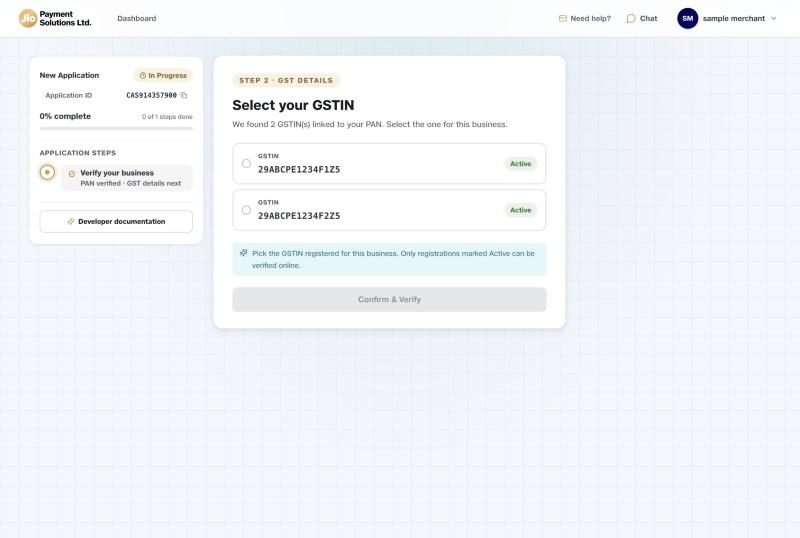
The next screen shows your business details, including its type. The steps on the left now match your business type.
Good to know
- Typed the PAN wrongly? Select Update PAN.
- A note may say we could not fetch KYC details from the central register. This is normal. You provide them later.
Updated 15 days ago
Did this page help you?