

Bulk Invoice File
CSV requirements (high-level) — MUST match the sample template and date/time header format: YYYYMMDDHHMMSS in the first row and same timestamp in filename. If mismatch → upload will fail.
Key CSV columns (summary)
- Merchant ID, Aggregator ID (if AGG), User ID, Username, Mobile (mandatory), Email (mandatory), Invoice number, Description, Charge amount, Currency code (356 for INR), Due date, Charge headers, Opt charge headers, API Version, Additional Param 1/2, Enable late fee, Receipt template ID, storeCode, paymentReturnURL, allowedPaymentType, expiryPeriod, posAppId, terminalId, referenceNo, accessToken, udf1-40, posTillNo.
Step-by-step upload
- Download sample CSV template.
- Fill data; update file header date/time (YYYYMMDDHHMMSS) and ensure filename contains the same timestamp.
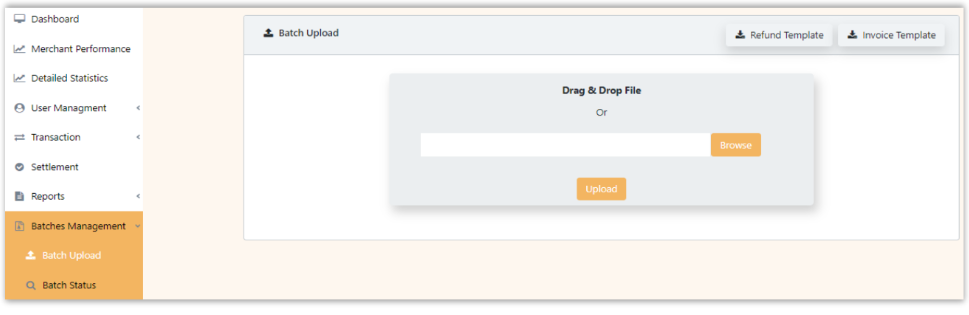
- Go to Batch Management > Batch Upload > Bulk Invoice → upload file.
- CheckBatch Status for processing result.
Updated 8 months ago
Did this page help you?